Langvie / Coming from Anki
Move from Anki in one file, and keep every card's schedule.
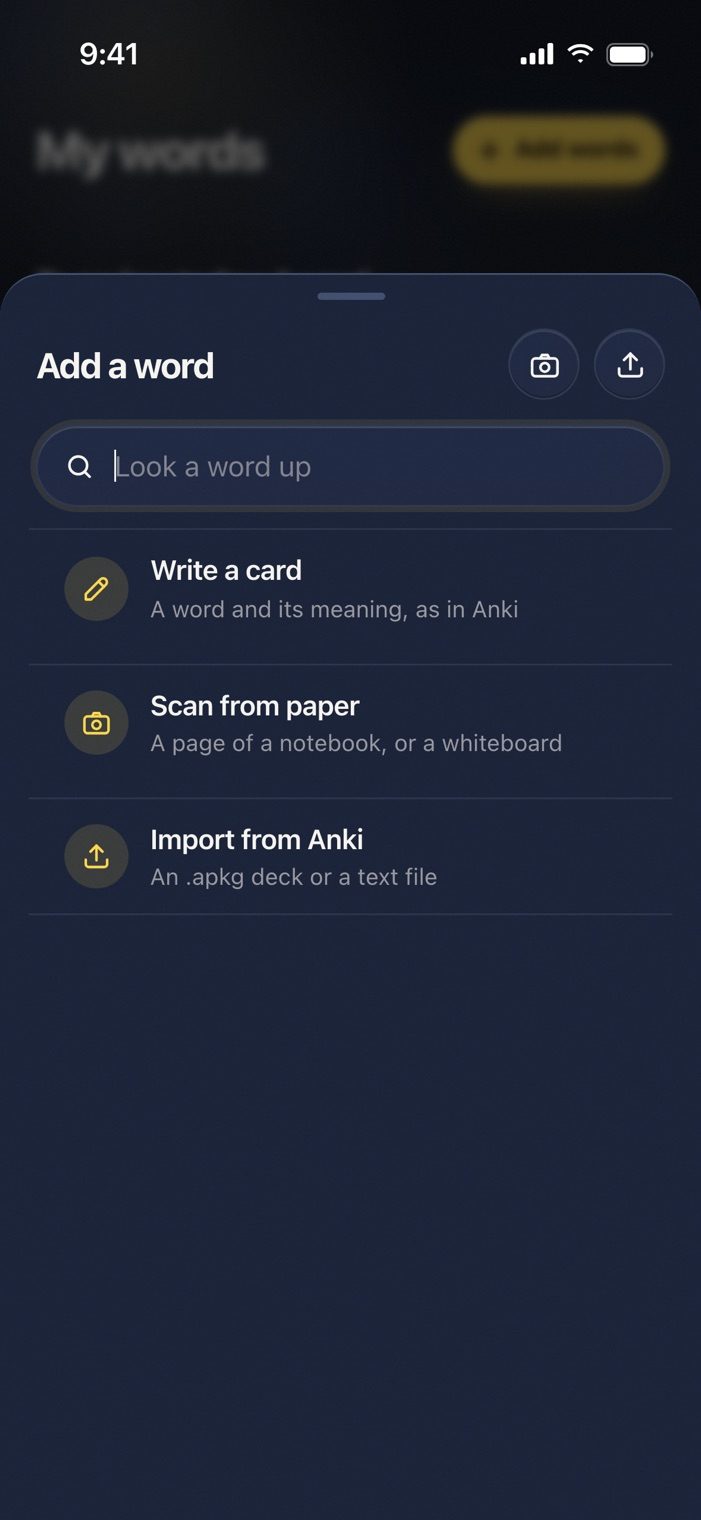
Export your deck as an .apkg file and import it under Add a word. A word you held for 90 days in Anki comes back when Anki would have shown it, and from then on Langvie repeats it the way Anki would.
The same scheduler
Langvie schedules every word with FSRS, the method Anki has used by default since version 23.10. After each card you tap Not yet, So-so or Good. FSRS keeps two numbers per word: how stable your memory of it is, and how hard it is for you. It sets the next review for when you would start to forget it.
That is why an import can keep your progress. A deck reviewed with FSRS brings its own numbers. An older deck is converted the way Anki converts one when you switch, so a word you knew well does not start over.
What the import keeps
- Each card's due date, matching the one Anki showed you.
- Suspended cards stay out.
- Your own example sentences stay on the cards, now translated into your language.
- You can open any card before the import to see how it will look.
A plain text file works too, so a word list from a spreadsheet becomes a deck the same way.
What Anki does not give you
Anki is excellent at repetition. What it does not hand you is a reason to learn a particular word today. A word off a frequency list is one you have never heard. In Langvie the words come from a film you chose, an article you read or a course chapter you are in, with the lines where the word was spoken. Each German card also carries its article, plural and genitive, or a verb's past forms, and a recording in a German or Austrian accent.
Writing your own cards
Write a card works as it does in Anki, with more help. Type a word and Langvie fills in the meaning and an example. Or fill the fields yourself, from der, die or das and the plural to the past forms, an example and your own synonyms. The eye button shows the finished card before you save it.
Bring your deck over tonight.
The import is free. Export from Anki, open Add a word, and choose Import from Anki.
Questions
Do I lose my progress if I switch?
No. Each card keeps its schedule, taken as is from an FSRS deck or converted from an older one. So a word you have known for a year is not put in front of you tomorrow.
Can I keep using Anki as well?
Yes. The import makes a copy, and your Anki collection stays as it was.