Langvie / Words from your class
Never forget the words from your language class.
After the lesson, take one photo of your notebook, a worksheet or the board. Each word becomes a card with its meaning, and FSRS brings it back before you forget it.
Where class words get lost
A typical integration course or evening class hands out a page of new words every week. They go into a folder, and by the next test half of them have to be learned again. The problem is the gap between the lesson and the next time you see the word.
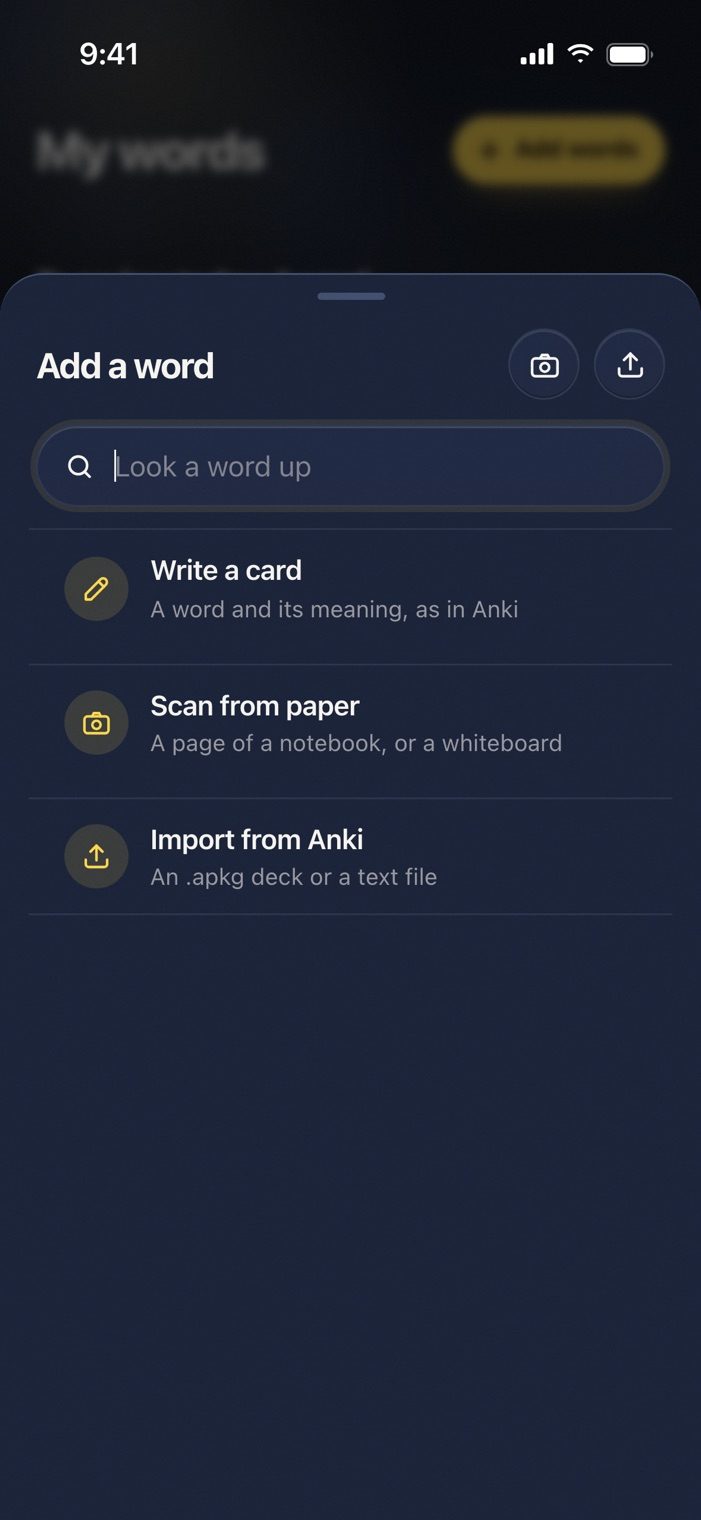
So Langvie turns the page into cards the same evening. Open Add a word, choose Scan from paper, and photograph the list. Langvie reads the words, gives each one its meaning in your language, and adds the ones you tick.
During the lesson
When the teacher says a word you want to keep, type it in. Write a card fills in the meaning and an example, or you write the card yourself with its article, plural and forms. A word you already have from a film or the course keeps its progress and moves to the top of My words, so nothing is learned twice.
After the lesson
The words join your one deck and come back on their own schedule. Answer Good and a new word returns in a few days, then weeks later. Miss it and it comes back in the same session. A word you keep missing turns around and asks you to say or type the German from its meaning.
With your teacher
If your teacher runs a class in Langvie, join it. They see how many words you know and how often you study, never the words themselves. For teachers
Scan this week's word list.
Scanning and writing cards are free. Open My words, tap Add words, and choose Scan from paper.
Questions
What can I scan?
A notebook page, a printed worksheet, a textbook list or a whiteboard. Handwriting works when it is clear. You see the words before anything is added and keep only the ones you want.
Which languages does it read?
The language you are learning, German or English, with meanings in English, Ukrainian, Russian or Spanish.